Star Fox split-screen update 1.2.0: 4 players, one Switch 2
Star Fox split-screen now takes four players on one Switch 2 in update 1.2.0, with three stages and a long list of fixes. What you need and how to update.
Source-based. Written from the documents, reporting and reviews linked in the text. Nothing here was tested hands-on by The Ruling Desk. How we work
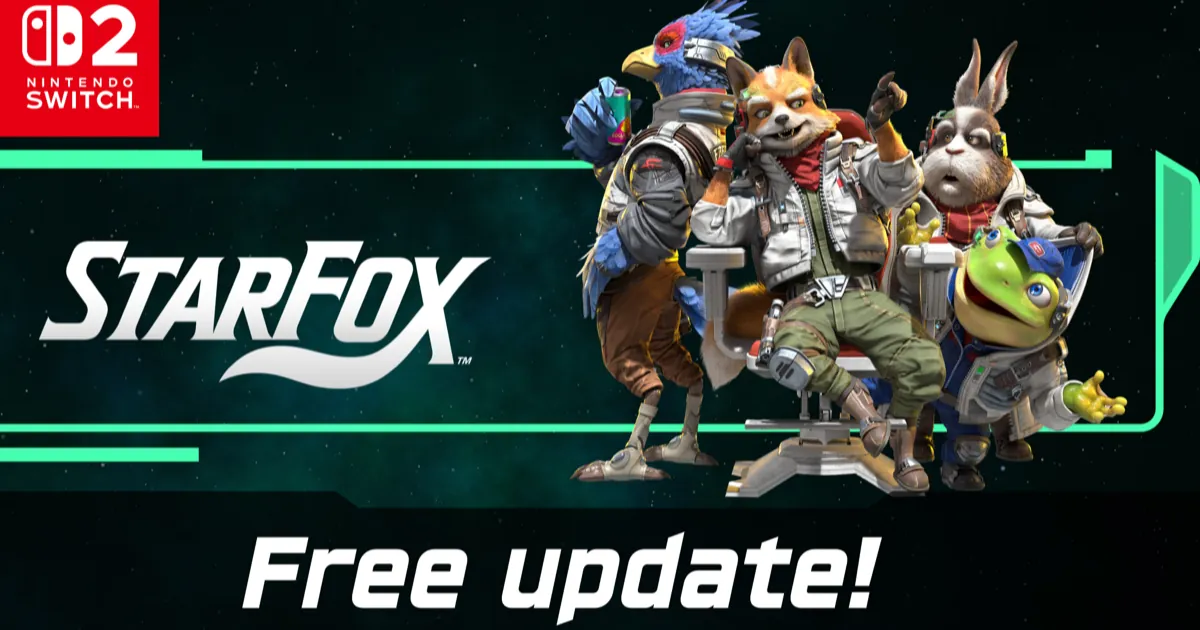
Star Fox split-screen now works for four players: version 1.2.0 of the game brings four-player split-screen Battle Mode to a single Nintendo Switch 2. Nintendo released the free update on September 29, 2026, for the Switch 2 remake that launched on June 25, and its notes also add three stages, new battle items, a way to take a split-screen team online and a dozen listed bug fixes. Here's what you need to play, what else changed and how to get the update.
Key takeaways
- Nintendo's update notes confirm that up to four players can now play Battle Mode split-screen on one Switch 2, with one controller each.
- A single Joy-Con 2 or original Joy-Con held sideways counts as a controller, so two pairs cover four players.
- Your split-screen group can join random online matches as one team, which needs a Nintendo Switch Online membership.
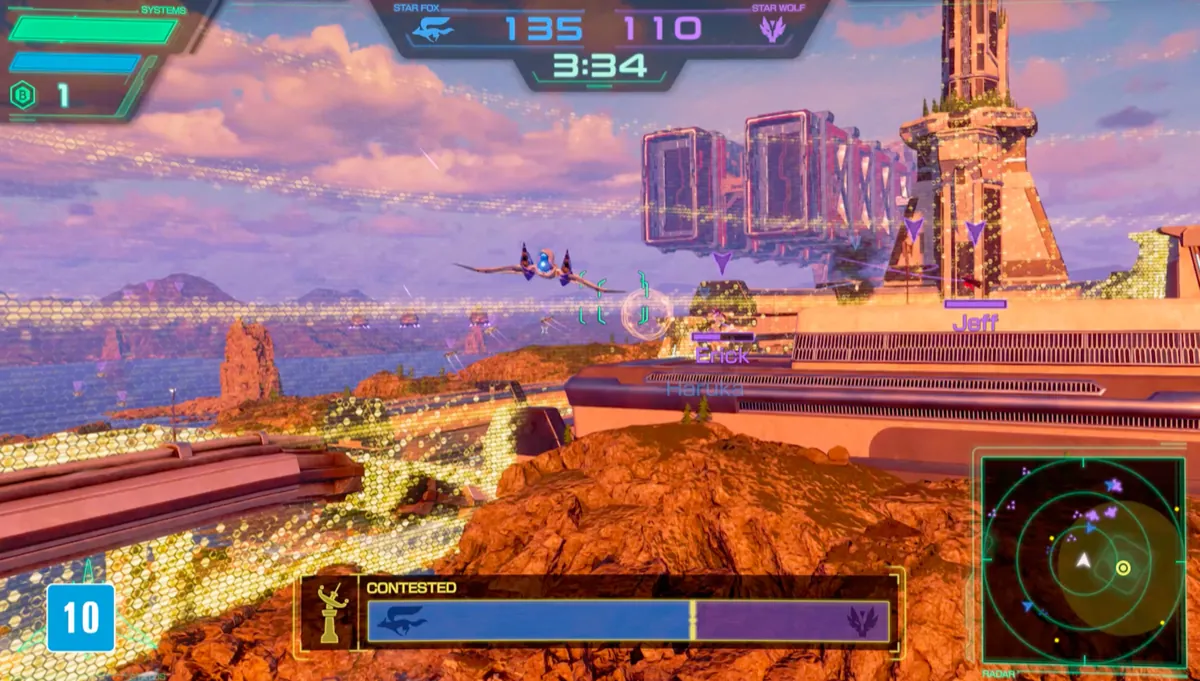
- Battle Mode gains Katina, Sector X and Venom, bringing it to six stages, plus new items that appear during battles.
- The update fixes crashes and freezes in the campaign and online play; it installs automatically if auto-updates are on.
What changed in Star Fox 1.2.0
According to Nintendo's update page for Star Fox, version 1.2.0 went live on September 29, 2026. It builds on version 1.1.0 from June 24, the day before launch, which added Battle Mode itself, avatar settings and an Easy difficulty for the campaign.
The new version is about Battle Mode, the team dogfighting mode where squads fight as Star Fox or Star Wolf. Nintendo's announcement calls it a free update and sums it up in three lines: local split-screen for up to four players, three more stages, and online battles as a team from one console.
How to play Star Fox split-screen with four players
The rules come straight from Nintendo's patch notes:
- One console. Split-screen runs on a single Nintendo Switch 2, with the screen divided between the players.
- One controller per player. Nintendo says a controller is required for each person.
- Sideways Joy-Con count. In split-screen, Joy-Con 2 and original Switch Joy-Con controllers can each be held horizontally by one player. Two pairs of Joy-Con are enough for four people.
- Battle Mode only. Nintendo's product page describes battling "with (or against) up to three friends in local split screen" and labels it "Local Split-Screen Battle Mode." The campaign's co-op is a different feature.
That co-op, per Nintendo's UK game page, has two players share one Arwing, splitting pilot and gunner duties across a pair of Joy-Con 2, and it only works in Campaign Mode and Challenge Mode. The same page still listed single-system play as one to two players on September 30, so expect some store listings to lag behind the update.
Taking a split-screen team online
The update also adds a way to enter random matches as a team through split-screen. Nintendo's announcement puts it plainly: up to four players can form a team and join online battles using a single Switch 2. Online Battle Mode is four against four, according to Nintendo's UK page, so a full couch squad fills one side. Online play needs a Nintendo Switch Online membership, as with every online feature in the game.
New stages and items in Battle Mode
Online battles launched on three stages, Corneria, Sector Y and Fichina, according to Nintendo's product page. Version 1.2.0 adds Katina, Sector X and Venom, and Nintendo's store listing now says all six stages are available. The notes also add new items that appear during battles, without naming them.
A few Battle Mode changes will matter to regular players:
- An online lobby no longer breaks up when its host leaves.
- In full-screen play with a camera in GameChat, your camera feed now shows on the game screen at moments like shooting down an enemy. It needs a separately sold USB camera, and Nintendo says the feed and audio only go to your GameChat members.
- Nintendo says it addressed third-party USB cameras that worked on the Switch 2 but not inside Star Fox. It adds that not every camera is guaranteed to work and suggests the Nintendo Switch 2 Camera if yours doesn't.
Other fixes in the Star Fox patch notes
Outside Battle Mode, the notes list several changes to Campaign Mode and Challenge Mode. Choosing "ABANDON CAMPAIGN" after a game over now asks you to confirm. Nintendo also adjusted the visuals so it's easier to see when you're damaging certain bosses, and it made the Sector X challenge about a hidden power-up completable even if you pick up the wing-repair item.
The bug fixes, in plain words:
- Freezes and crashes: an occasional crash after repeatedly selecting RESTART on Corneria; freezes tied to the bosses on Aquas, Area 6 and Titania; and a freeze on Venom after playing it in Challenge Mode and then resuming the campaign.
- Online Battle: an occasional crash when a match starts, and matches that stalled when the host lost connection.
- Scoring: past roughly 1,200 points, about 1,000 of a player's points weren't counted correctly.
- Carry-over bugs: Arwing wing durability dropping in Battle Mode after an expert Challenge Mode run, and somersaults or U-turns becoming impossible after quitting Venom 2 midway.
- Smaller fixes: a sound that skipped or doubled after RESTART, a Zoness challenge that didn't fail when you rammed a Radar Buoy, and easier goalposts in the tilt-flying Training challenge.
How to update Star Fox
Nintendo says the update downloads on its own when the console is online and Software Auto-Updates is turned on. To do it by hand:
- On the HOME Menu, highlight Star Fox without starting it.
- Press the + or - Button. The version number appears under the title.
- Select Software Update, then Over the Internet.
Your save data carries over, and the update is required to use the game's online features. If the download stalls for lack of room, our Switch 2 storage guide covers which cards work and how to free space.
Why it matters
Four players on one console is the new part: Nintendo's notes say split-screen "now" allows up to four. That makes one Switch 2 and two pairs of Joy-Con enough for a four-person Battle Mode night, with no second console involved, and it lets that same group take on online teams together.
Bottom line
If you own Star Fox, install Star Fox 1.2.0: Nintendo's notes confirm four-player split-screen in Battle Mode, three new stages and fixes for crashes and freezes you may have hit. Check you have one controller per player; a single sideways Joy-Con counts. Nintendo hasn't said what the next update brings, and more news lands in our video games section.
FAQ
Does Star Fox on Switch 2 have split-screen?
Yes. Since version 1.2.0 on September 29, 2026, Star Fox split-screen supports up to four players in Battle Mode on one Nintendo Switch 2, each with their own controller. The campaign has a separate two-player co-op that shares one Arwing.
Can four people play Star Fox online on one Switch 2?
Yes. Nintendo says up to four players can form a team on a single Switch 2 and join online battles together, including random matches. You need a Nintendo Switch Online membership.
Is the Star Fox 1.2.0 update free?
Yes. Nintendo calls it a free update, and it downloads through Software Update like any patch. It's required to keep using the game's online features.