Switch 2 game-key card vs game card: what each lets you do
A Switch 2 game-key card, a regular game card and a virtual game card differ on downloads, offline play, lending and resale. One sourced table compares them.
Source-based. Written from the documents, reporting and reviews linked in the text. Nothing here was tested hands-on by The Ruling Desk. How we work
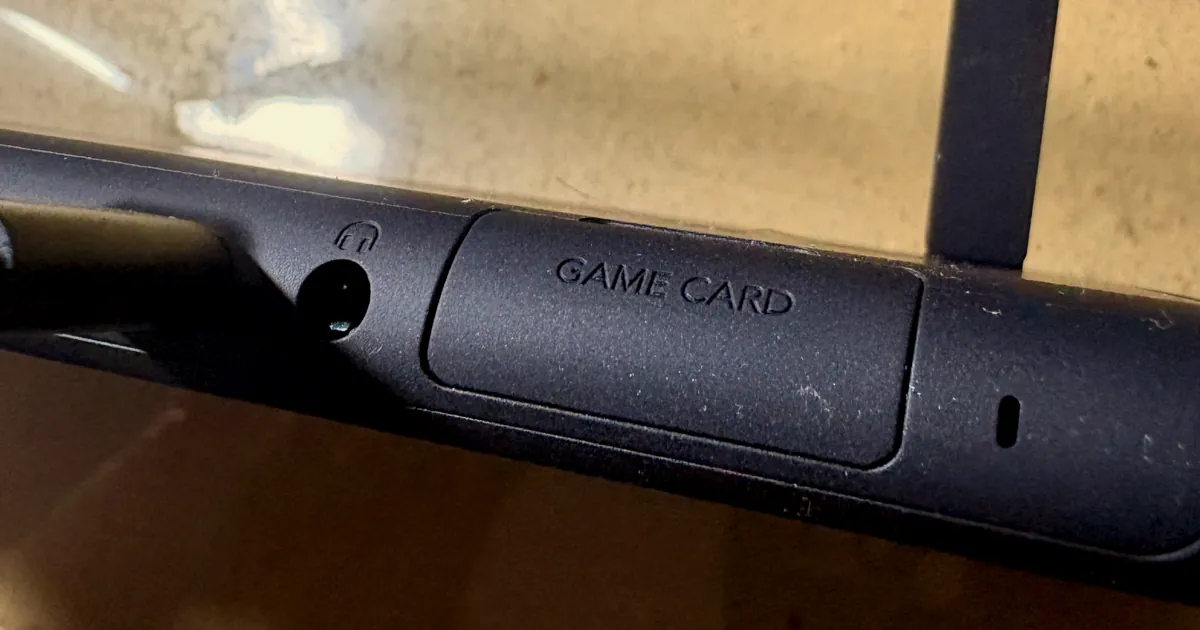
A Switch 2 game-key card looks like a regular game card, but it holds no game: it's a key that downloads the whole game to your console, and the card must stay inserted to play. A regular game card carries the full game, and a virtual game card is a digital purchase you can move between two consoles or lend to family. This guide puts all three side by side on downloads, internet, offline play, lending, resale and loss, with every cell taken from Nintendo's own pages, as checked on October 4, 2026. We haven't tested any of it ourselves.
Key takeaways
- A game-key card downloads the full game. You need an internet connection and free storage for the first launch; after that it plays offline, but only with the card inserted.
- Both physical formats lend the old way: hand the card over. Nintendo says game-key cards aren't tied to a Nintendo Account, so the next console just downloads the game again.
- Virtual game cards work on two consoles linked to your account, one at a time, and you can lend one to a family group member for up to 14 days, in person.
- Only physical cards can be sold. Nintendo says digital purchases can't move to another account; nothing in its pages blocks selling a card, though that's our reading, not a Nintendo statement.
- Saves never live on the card. Nintendo ties save data to your account and the console, so losing a card costs you the game, not your progress.
The Switch 2 game-key card, game card and virtual game card side by side
Here's the ownership matrix. Every cell comes from Nintendo's game-key card overview, its virtual game cards page, its virtual game card guide, its explainer on what a game-key card is (published September 23, 2026), and its page on playing games across several consoles. The one row marked "our reading" is an inference, explained below.
| What you want to know | Game card | Game-key card | Virtual game card (digital) |
|---|---|---|---|
| What's on it | The full game | A key only, no game data | Nothing physical: a license on the Nintendo Account that bought it |
| Download and storage | Plays from the card | Downloads the whole game to system memory or a microSD Express card; the box lists the space | Downloads the whole game |
| Internet before the first play | Not needed: insert it and play | Needed for the first launch only | Needed the first time you start a game you loaded |
| Playing offline later | Yes | Yes, with the card inserted | Yes, on the console where it's loaded |
| Nintendo Account needed | No | No, not even to download | Yes, it's tied to the buyer's account |
| Who can play on that console | Whoever inserts it | Whoever inserts it | Every user on the console where it's loaded |
| Which consoles | Any Switch 2 | Any Switch 2; each one downloads the game | Up to two consoles linked to your account, one at a time |
| Lending | Hand it to anyone | Hand it to anyone | Family group members only, up to 14 days, consoles side by side |
| Your add-on content goes with it | No, it stays with your account | No, it stays with your account | Yes, when you lend a game its DLC goes too |
| Selling or trading | Possible (our reading) | Possible (our reading) | Not possible |
| Where your save lives | On the console, with your account | On the console, with your account | On the console, with your account |
| If you lose it | The game is gone | The game is gone; downloaded data can't be played without the card | The license stays on your account |
Nintendo's game-key card page is also published in Latin American Spanish, with the same rules. The sections below explain each row and the fine print behind it.
How to tell a game-key card from a game card before you buy
Check the case. Nintendo's explainer says you can spot a game-key card by the label toward the bottom half of the case, and its support page says the packaging lists how much free space the download needs. The same figure appears on the game's Nintendo eShop or Nintendo Store page for the digital version.
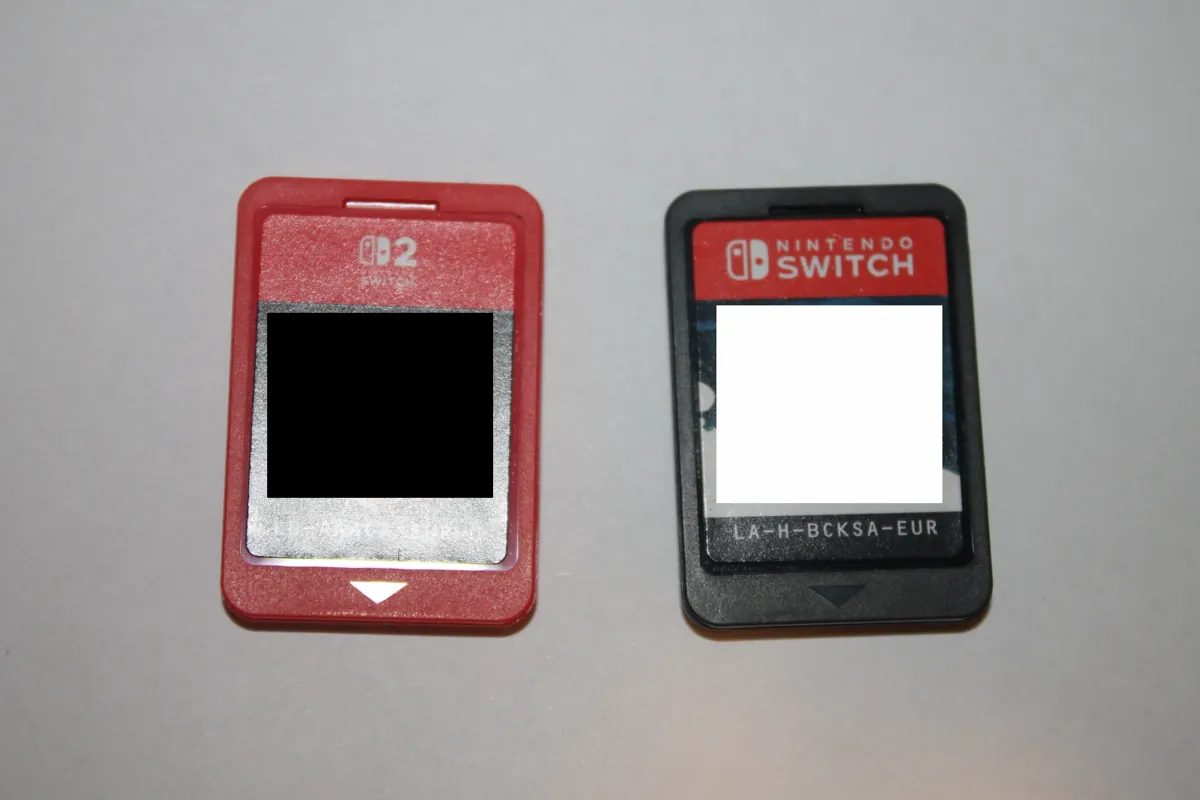
If storage is tight, that label is the warning: a game-key card uses space like a digital purchase, and our Switch 2 SD card guide explains which microSD Express cards work and how fast big games fill the 256 GB built in.
What a game-key card lets you do
Nintendo's support page spells out three steps: insert the card, follow the HOME Menu instructions to download the game, and play. The fine print:
- Internet once. Nintendo says a connection "is only required when you launch the game for the first time." After that the game starts offline.
- The card stays in. Like a regular game card, the game-key card must be in the console to play, even though the game lives in your storage.
- No Nintendo Account needed to download the game data.
- System version 20.1.1 or later on the Switch 2.
Because the card isn't tied to an account, Nintendo says you can lend it to whomever you want. When your friend inserts it, the game downloads to their console, just as it did on yours.
How virtual game cards work: the two-console rule
Every digital game and DLC you buy from Nintendo eShop is treated as a virtual game card, on the Switch 2 and on the original Switch family. You find them under Virtual Game Cards on the HOME Menu. The rules, from Nintendo's virtual game card pages:
- Two consoles per account. "Up to two systems total can be linked per Nintendo Account," and a game plays on one linked console at a time.
- Pair them once. The first pairing needs both consoles close together and online. After that, you can move games between them even when they're far apart.
- Load and eject. Moving a game means ejecting it from one console and loading it on the other. The other console must be powered on or in sleep mode and online. You can also do it from your Nintendo Account on the web.
- Internet at two moments. The first time you start a game you loaded, and each time you eject one.
- Everyone on the console plays. Once a game is loaded, every user on that console can play it, not only you.
- Switch 2 games stay on Switch 2. Nintendo Switch 2 exclusives and Nintendo Switch 2 Edition games only load on a Switch 2.
If you try to load a game that's running on your other console, Nintendo says you'll have to close it there first. A system transfer to a new Switch 2 carries your virtual game card status, but you still redo the console registrations afterwards, as our Switch to Switch 2 transfer guide explains.
Playing on three or more consoles
Nintendo's answer is the online license setting. Turn it on and you can play downloaded games you bought on a console that isn't one of your two, as long as it's connected: a successful online check is needed to start the game. Unlike a loaded virtual game card, Nintendo's online license error page says that on a console outside your two, only the player who owns the game can start it.
Lending: hand over a card or lend to your family group
Physical cards lend like they always have. Nintendo's explainer says you just hand them over, and its multi-console page says the other person inserts the card in their console and picks the game from the HOME Menu.
Lending a virtual game card is stricter. According to Nintendo's virtual game card guide:
- The borrower must be in your Nintendo Account family group.
- Both consoles must be close together and both online.
- The loan lasts 14 days, then the game returns automatically. The borrower can return it early, and you can collect it early.
- You can lend up to three games at once, but only one to each console. A borrower can hold one borrowed game at a time, from one person.
- A console with users from different family groups can't borrow.
- Any DLC you bought goes with the game.
- You can't play a game while it's lent out.
Two more details from Nintendo: lending doesn't need a Nintendo Switch Online membership, and some games can't be lent, such as titles that come only with a Nintendo Switch Online membership. The borrower keeps their save data afterwards, so they can pick up where they left off if they borrow it again or buy it.
One catch applies to physical cards too. Nintendo says digital games and DLC are tied to the Nintendo Account that bought them, so lending a card doesn't lend the expansion you bought for it.
Selling, trading and buying used
Digital games can't be sold. Nintendo's support page on moving a digital game to another account says plainly that "it's not possible to transfer digital purchases from one Nintendo Account to another."
For both kinds of physical card, Nintendo's pages talk about lending, not selling. But Nintendo says a game-key card isn't tied to a Nintendo Account and downloads the game on whatever console it's inserted in, and that sharing a regular game card just means inserting it in another console. Our reading: nothing in the system stops someone else from playing a card you sell, which is what makes both resellable in practice. Nintendo hasn't put that in those words on the pages we checked.
Buying used carries one documented risk. Engadget reported on July 12, 2025 that a Switch 2 owner was banned from Nintendo's online services after playing pre-owned original Switch cards bought on Facebook Marketplace; the user said they were unbanned after showing proof of purchase. That's one user's account of one case, but keeping a receipt for a used card is cheap insurance.
If you lose the card or the console
- A game card or game-key card: the game goes with it. On its page about lost or stolen consoles, Nintendo says it "does not replace products that are missing or stolen." With a game-key card, any downloaded data can't be played without the card.
- Your progress: safe either way. Nintendo says save data "is associated with the Nintendo Account and the console, not the game card."
- A console with your virtual game cards: the games stay on your account. To free up its slot, Nintendo's page on unlinking consoles lets you remove it from the Virtual Game Cards settings on your other console or from the Nintendo Account website. A forced unlink of a console you can't reach works only once a year; after that, you have to contact Nintendo.
Which one fits you
This part is our judgment, built on the rules above, not Nintendo's advice:
- You play offline a lot, or have little storage: a regular game card is the only format that needs neither a download nor internet before the first play.
- You lend to friends or resell games: either physical card. A game-key card lends as easily, but each new console downloads the full game first.
- Your household has two Switch consoles: virtual game cards cover you without buying twice, and the family group adds 14-day lending.
- You want a game to hold its value: only the physical formats can be resold, by our reading of Nintendo's rules.
Troubleshooting
- A game-key card game won't download. Check the internet connection, the free space the box asks for, and that the Switch 2 is on system version 20.1.1 or later.
- "Unable to load because the software is currently being played." The game is running on your other linked console. Close it there and try again.
- "Couldn't collect because the other user's system is offline." Your other console has the game loaded and is off or offline. Turn it on and connect it, or unlink it if it's lost.
- "Another paired console has been found." You already have two linked consoles. Unpair one, or use the online license setting for a third.
- "You cannot borrow any more virtual game cards." The borrower already has a borrowed game. A similar message says someone else on that console has one. Return it first.
For more on the console, see everything tagged Nintendo Switch 2.
Bottom line
A Switch 2 game-key card is a physical key to a digital download: it needs internet and storage once, then plays offline with the card in. Pick game cards if you play offline or have little space, either physical format if you lend or resell, and virtual game cards if your household shares two consoles. Whatever you choose, your saves stay on the console and your account, not on the card.
FAQ
Does a Switch 2 game-key card work offline?
Yes, after the first launch. Nintendo says an internet connection is only needed to download the game and start it the first time. The card must still be inserted every time you play.
Can you resell a game-key card?
Nintendo's pages don't mention reselling, but they say game-key cards aren't tied to a Nintendo Account and download the game on any Switch 2 they're inserted in. By our reading, that makes them resellable like any physical game. Digital purchases can't be moved to another account.
How many consoles can use my virtual game cards?
Two linked to your Nintendo Account, with each game playing on one of them at a time. For a third console, Nintendo's online license setting lets you play while connected, but there only the player who owns the game can start it.
Can I lend a digital game to a friend on Switch 2?
Only if they're in your Nintendo Account family group. The loan lasts up to 14 days, both consoles must be together and online, and you can't play the game while it's lent. Some games, such as those included only with Nintendo Switch Online, can't be lent.
Do I lose my save if I lose the card?
No. Nintendo ties save data to your Nintendo Account and the console, not to the card. You'd lose the game itself, and Nintendo doesn't replace missing products.