iPhone 18 Pro eSIM in Mexico: move your line, step by step
The iPhone 18 Pro is eSIM-only in Mexico. How to move a Telcel, AT&T, Movistar or Bait line from an old iPhone or an Android phone, and what to do if it fails.
Source-based. Written from the documents, reporting and reviews linked in the text. Nothing here was tested hands-on by The Ruling Desk. How we work
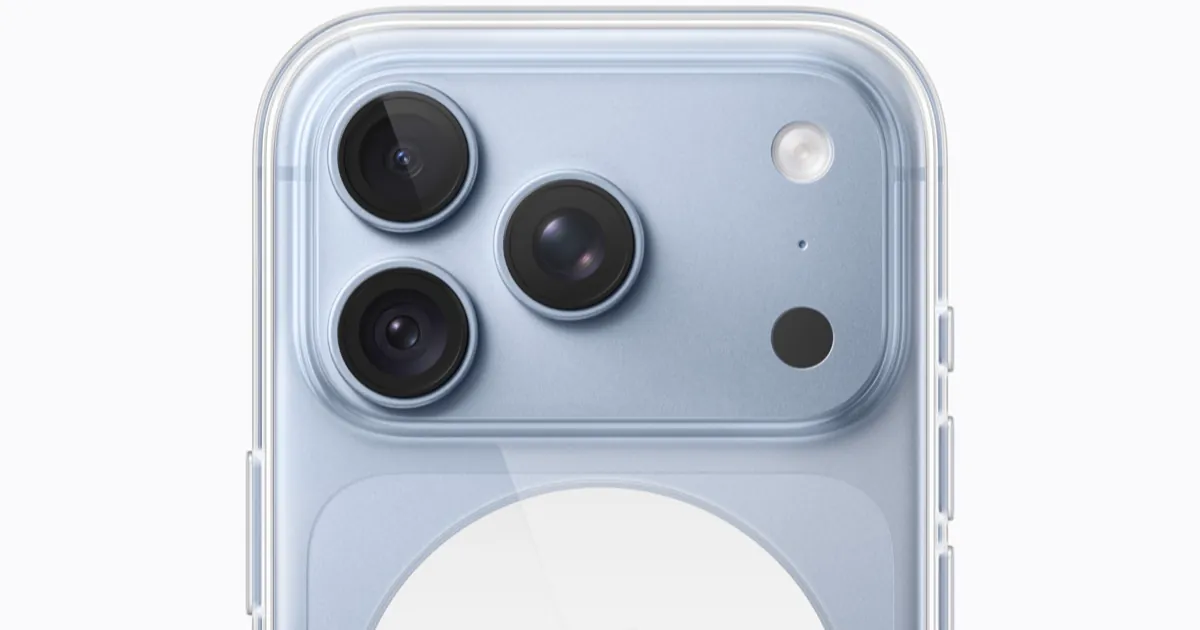
The iPhone 18 Pro sold in Mexico has no SIM tray, so your number has to move to an eSIM, a digital SIM built into the phone. Here's how iPhone 18 Pro eSIM setup in Mexico works on Telcel, AT&T, Movistar and Bait, whether your line is on an old iPhone with a chip, on an eSIM, or on an Android phone. Everything below comes from Apple's and the carriers' own pages as of October 3, 2026. We didn't run a transfer ourselves.
Key takeaways
- Coming from an iPhone: Apple lists Telcel, AT&T and Movistar in Mexico for eSIM Quick Transfer, which moves your number between iPhones over Bluetooth without calling the carrier. Apple and Telcel say it also works when the old iPhone uses a physical chip.
- Coming from Android: Apple's direct Android to iPhone transfer lists only AT&T in Mexico. A press report says AT&T limits it to postpaid and business lines and started with Pixel 10 phones. Everyone else asks the carrier for an eSIM by QR code or activation.
- Bait isn't on Apple's eSIM carrier list for Mexico. Bait's site sells eSIMs and sends the activation QR code by email and WhatsApp, so plan on the QR route.
- Telcel says its transfer has no cost and works on Amigo prepaid lines too. Once you switch, Telcel says the old physical SIM can't be reused.
- If the transfer fails, Telcel says your line stays where it was. Don't delete anything from the old phone until the new one makes calls.
Why the iPhone 18 Pro eSIM is the only option in Mexico
Apple's Mexican spec sheet for the iPhone 18 Pro says both the 18 Pro and the 18 Pro Max use eSIM only and don't support physical SIM cards. Mexico is one of 12 countries and territories where the Pro models ship without a tray, along with the US, Canada, Japan and several Gulf states, according to MacRumors' list. MacRumors notes that nothing changed from last year: the iPhone 17 Pro was eSIM-only in the same countries, and Apple uses the freed space for a bigger battery.
The phone holds eight or more eSIMs and keeps two active at once, per the same spec sheet. That matters if you carry a work line and a personal line: both can live on the iPhone 18 Pro.
Which method works with your carrier
Apple keeps a list of eSIM carriers by country and which activation methods each one supports. Here is Mexico's, combined with what each carrier's own page says, as of October 3, 2026.
| Carrier | Quick Transfer from an old iPhone | Carrier activation or QR code | From Android, directly | Prepaid lines | Store visit needed |
|---|---|---|---|---|---|
| Telcel | Yes (Apple and Telcel) | Yes (Apple) | Not on Apple's list | Yes, Amigo included (Telcel) | No, says Telcel; only to get a new physical SIM later |
| AT&T | Yes (Apple) | Yes (Apple) | Yes, the only one in Mexico (Apple) | Reported: Android transfer is postpaid and business only | Reported: no |
| Movistar | Yes (Apple) | Yes (Apple); new lines by emailed QR (Movistar) | Not on Apple's list | New eSIM lines on Recarga, per Movistar | Optional for new lines; its page is silent on converting an existing one |
| Bait | Not on Apple's list | QR code by email and WhatsApp (Bait's site) | Not on Apple's list | Its eSIM page doesn't say | Its eSIM page doesn't say |
Entries credited to Apple or a carrier are confirmed in that company's own documentation; "reported" means only press coverage says so. "Not on Apple's list" doesn't always mean it can't be done: it means Apple doesn't list that carrier for that method, so you should expect the carrier to handle it instead. Apple's eSIM setup guide says that when you come from a non-Apple phone, the carrier transfers the number by eSIM Carrier Activation or with a QR code.
Step 1: Check what you need before you start
Get these ready before you touch anything:
- Your old phone, charged and unlocked. Apple's Quick Transfer requires both iPhones nearby, with Bluetooth on, signed in with your Apple Account, and running iOS 18.4 or later. Telcel's page asks for iOS 17.4 or later, an iCloud account and a passcode set on the phone.
- Wi-Fi. Telcel says a stable Wi-Fi connection is necessary to complete the transfer.
- The latest iOS 27 on the new phone. Install any update in Settings, General, Software Update. On the iPhone 18 Pro that includes iOS 27.0.1, which fixed several launch bugs.
- An active line. Telcel lists Plan de Renta, Plan Mixto/Controlado and Amigo de Telcel lines as eligible.
Step 2: Move your line from an old iPhone
This is the most common path, and it works whether your old iPhone uses a physical chip or an eSIM. During setup of the new iPhone, Apple says you'll be asked to transfer your number; follow the prompts. With iOS 26 or later you can move more than one number.
If you skipped it during setup, Apple's steps after setup are:
- On the iPhone 18 Pro, open Settings and tap Cellular.
- Tap Set Up Cellular or Add eSIM.
- Choose the plan to transfer. If you don't see a list of numbers, tap Transfer From Nearby iPhone.
- Follow the instructions on your old iPhone. Tap Transfer to confirm, or enter the code that the new iPhone shows.
- Wait for the plan to activate. When it does, Apple says the SIM on your old phone stops working.
- If a banner says Finish Setting Up Your Carrier's Cellular Plan, tap it. It opens the carrier's web page to finish the transfer.
For a Telcel eSIM, Telcel's guide for a new iPhone describes the same flow in its own 11 steps, says no QR code or store visit is needed, and ends with one extra instruction: restart both iPhones once the line is active. Telcel also has a guide to convert a physical SIM to eSIM on the same iPhone, but you don't need it here: moving the chip's line to the iPhone 18 Pro already turns it into an eSIM.
Step 3: Move an eSIM from Android
Apple added a direct Android to iPhone eSIM transfer with iOS 26. Apple's guide lists the requirements: an iPhone 11 or later on iOS 26 or later, an Android phone on Android 16 or later that its maker says is compatible, both on Wi-Fi with Bluetooth on, and a supported carrier. In Mexico, Apple lists only AT&T.
Mobile Time Latinoamérica reported on March 31, 2026, that AT&T México enabled this for postpaid and business lines only, and that at first only the Google Pixel 10 family could run it. AT&T's own eSIM page blocked our requests when we checked on October 3, so we couldn't confirm the current list of phones there.
If you qualify, Apple's steps in Settings are:
- Put both phones next to each other.
- On the iPhone, open Settings, tap Set Up Cellular and then Transfer from Android. If the iPhone already has another SIM, go to Cellular, Add eSIM, Transfer from Android.
- Scan the QR code on the iPhone with the Android phone's camera.
- On the Android, pick the number and tap Transfer. Tap Yes if you're asked to make it your primary eSIM.
- Tap Done and OK on the iPhone, then make a call to check it works.
If the QR code won't scan, Apple's fallback is on the Android: Settings, Google services, All services, Pair with iPhone or iPad, Transfer eSIM, then enter the session ID and pairing code the iPhone shows. Apple says the Android's SIM deactivates once the transfer finishes.
On Telcel, Movistar or Bait, or on an AT&T prepaid line, skip this step and go to step 4.
Step 4: Ask your carrier for an eSIM by QR code or activation
When neither transfer is available, the carrier issues a new eSIM for your number. Apple's guide describes the two ways it arrives:
- Carrier activation. A notification says Carrier Cellular Plan Ready to Be Installed. Tap it, tap Continue, and make a test call.
- QR code. Open the Camera app and scan it, then tap Cellular Plan Detected, Continue and Add Cellular Plan. If the code arrives by email, Apple says you can touch and hold it and tap Add eSIM.
What each carrier offers here:
- Movistar. Its eSIM page sells eSIM lines on plans and Recarga, sends the QR code by email, and then asks you to call *611 to activate the line. That page describes buying a line; it doesn't explain converting an existing Movistar chip.
- Bait. Bait's eSIM page sells eSIMs, and its site sends the activation QR code by email and WhatsApp. Its help menu includes a SIM to eSIM change. Selectra, a comparison site, reports that a replacement eSIM costs MXN 100 and that Bait's eSIM works on unlocked iPhones from the XR on; Bait's own page didn't show us either detail.
- Telcel and AT&T. Apple lists both for carrier activation and QR codes, so their stores and support lines can issue one if a transfer fails.
Troubleshooting
- The transfer option doesn't appear. Telcel says to restart the phone and try again, then call *111 or *264 if it still doesn't show.
- The transfer stopped halfway. Telcel says a failed transfer leaves your line on the original SIM or eSIM, so the old phone should still work. Try again on Wi-Fi.
- You moved the wrong line. Telcel says you can move it back by starting the transfer on the phone that should have it.
- The new iPhone shows SOS or No Service. Restart it, check for a carrier settings update, and make a call. Our guide to SOS and No Service on iPhone in Mexico covers the other causes, from account problems to eSIM errors. The iPhone 18 Pro Max SOS bug Apple confirmed on October 2 involves AT&T in the US, not AT&T México.
- Don't delete the eSIM to start over. Movistar's page says a deleted eSIM can't be restored and sends you to a store for help.
- You want a chip again for another phone. Telcel says the old physical SIM can't be reused after the switch; you'd request a new SIM at a Telcel customer service center.
Bottom line
If you're coming from an iPhone on Telcel, AT&T or Movistar, use Quick Transfer: Apple lists all three for it in Mexico, and Telcel says it's free and doesn't need a store. From Android, only AT&T postpaid and business lines have a direct route, per Apple's list and a press report; everyone else, and every Bait customer, should ask the carrier for a new eSIM by QR code. Keep the old phone untouched until the iPhone 18 Pro makes a call. Watch Apple's carrier list, since it's the first place new methods for Mexico show up.
FAQ
Does the iPhone 18 Pro have a SIM card slot in Mexico?
No. Apple's Mexican spec sheet says the iPhone 18 Pro and 18 Pro Max work only with eSIM and don't support physical SIM cards. According to MacRumors, the Pro models sold in every other country still have a tray.
How do I change my Telcel SIM to eSIM on an iPhone?
On a new iPhone, go to Settings, Cellular, Add eSIM and choose Transfer From Nearby iPhone, then confirm on the old iPhone. Telcel says it works from a chip or an eSIM, on postpaid and Amigo lines, at no cost, and needs iOS 17.4 or later and Wi-Fi.
Can I transfer my eSIM from Android to an iPhone in Mexico?
Directly, only on AT&T, according to Apple's list, and a press report says AT&T limits it to postpaid and business lines. With Telcel, Movistar or Bait, ask the carrier for a new eSIM by QR code or carrier activation.
Does Bait work with eSIM on the iPhone 18 Pro?
Bait sells eSIMs and sends a QR code to install them, but it isn't on Apple's list of eSIM carriers for Mexico, and its page didn't confirm which iPhones it supports when we checked on October 3. Check Bait's compatibility tool with your phone before you buy.